Crop shipping labels in one tap.
Open the label PDF from your seller panel and get print-ready labels for your 4x6 thermal printer or A4 sheets. Invoices left out, barcodes kept sharp. Plus 15 more PDF tools, all on your phone.
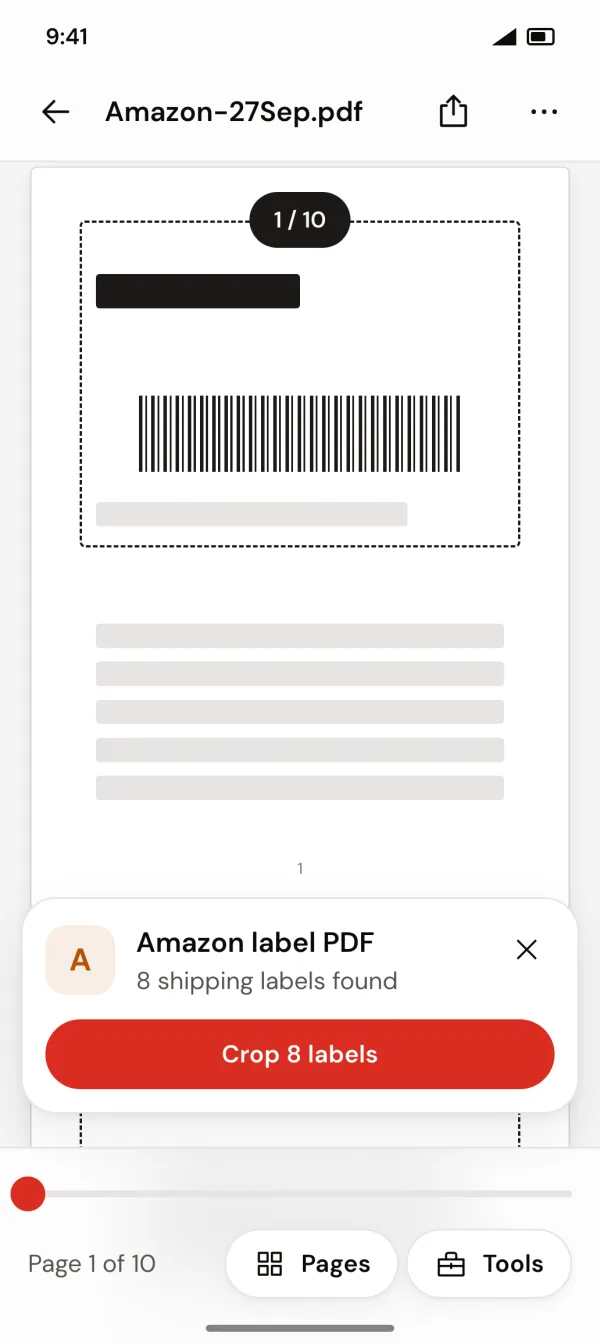
From seller-panel PDF to a label that fits the parcel.
Marketplace label PDFs are built for A4, with the invoice stuck to the label. Label Crop Tool & PDF Manager finds each label, crops it out and hands you just what goes on the box.
Download your label PDF
From your Meesho, Flipkart or Amazon seller panel, the same file you print today.
Open it in Label Crop Tool & PDF Manager
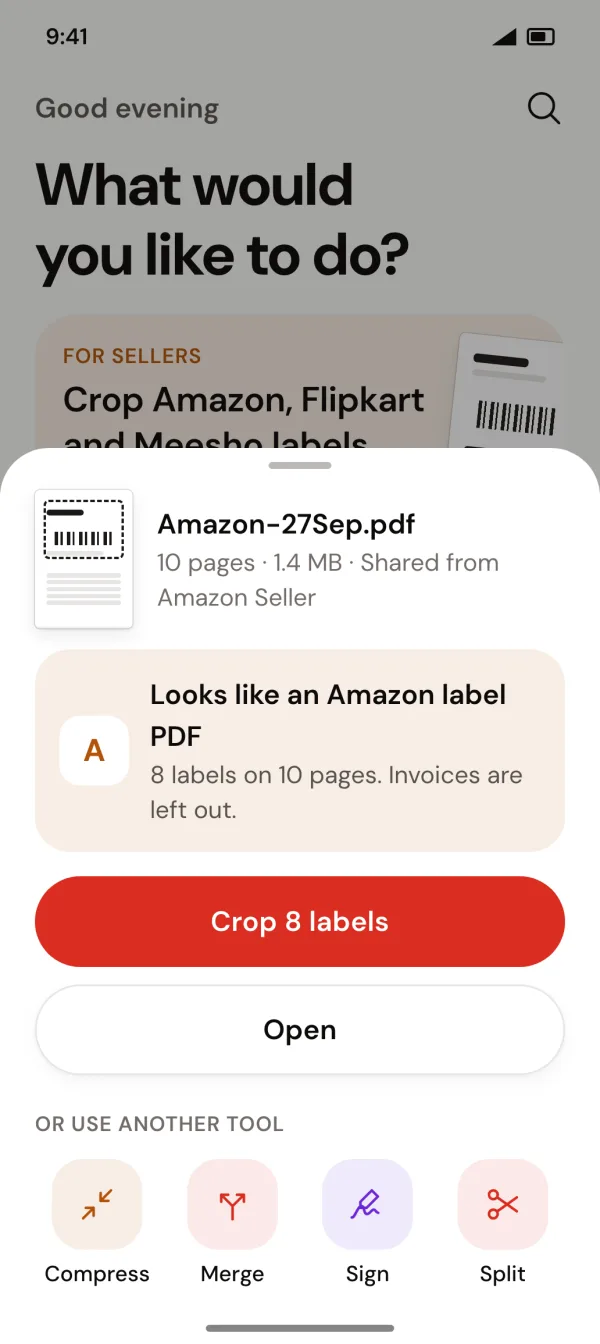
Share it to the app from any app, or pick it in Seller tools. It spots the marketplace and counts the labels.
Save and print
Choose 4x6, A4 or the label's own size. One tap saves every label, ready for the printer.
Works with your marketplace
Each platform lays out its labels differently. Label Crop Tool & PDF Manager knows how.
Meesho
Label on top, invoice below. We keep just the label.
Flipkart
Label on top, invoice below. We keep just the label.
Amazon
Label and invoice on separate pages. We keep just the label pages.
Coming soon Myntra, Snapdeal and more.
Print on the paper you have
With or without a label printer.
4 × 6 in label
One label per page, sized for thermal label printers.
100 × 150 mmA4 sheet
No label printer? Labels are packed onto A4 at real size, as many as fit, with cut guides between them.
210 × 297 mm · never shrunkFit label
Each label on a page of its own size, for any other printer or paper.
Label's own sizeBuilt for a day's worth of orders
All labels at once
One label PDF becomes a stack of print-ready labels, one per page. No cropping page by page.
Barcodes stay sharp
Labels are cropped from the original, never redrawn or re-scanned, so barcodes and QR codes scan at pickup.
Invoices left out
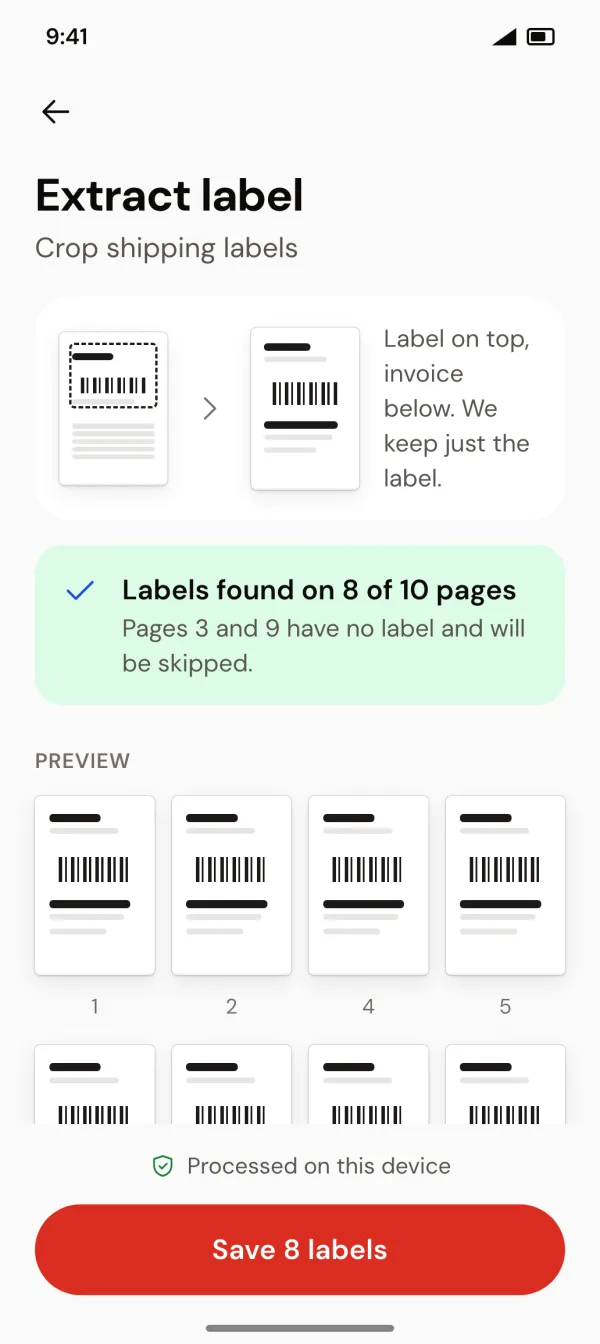
Invoice pages and pages without a label are skipped, and the app tells you exactly which ones.
Share to crop
Share a label PDF to Label Crop Tool & PDF Manager from any app and it offers "Crop 8 labels" right away.
Finds your label PDFs
Seller tools lists every label PDF on your phone, with its marketplace and label count.
Preview before you save
See every cropped label before saving. Your original PDF is never changed.
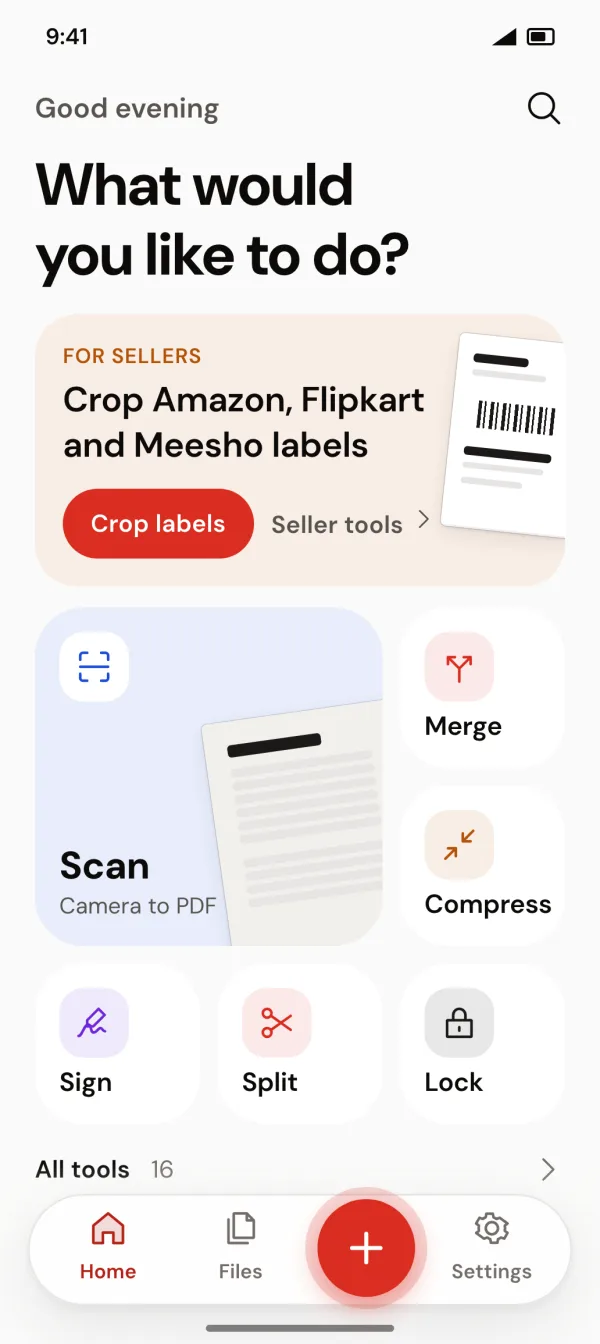
Every everyday PDF tool, in the same app.
16 tools for the rest of your paperwork: merge, compress, sign, scan and more. Each one saves a new copy and leaves your original as it was.
- Extract label Crop Meesho, Flipkart and Amazon shipping labels
- Seller tools Every label PDF on your phone, with label counts
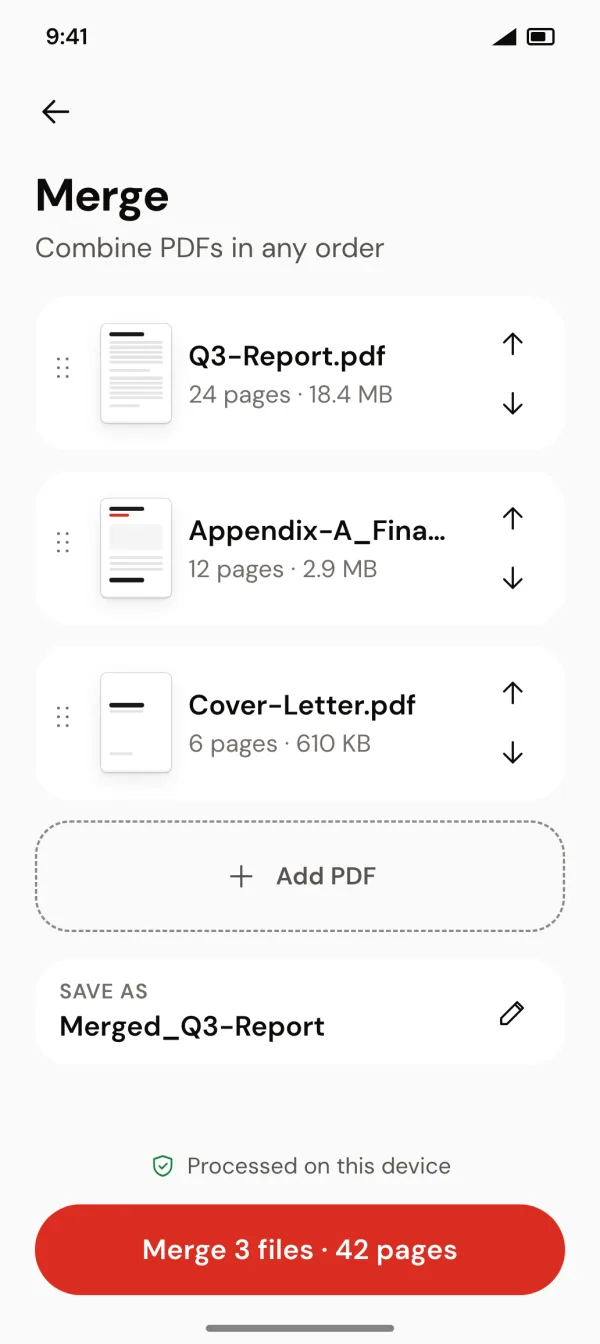
- Merge Combine PDFs in any order
- Split One PDF into parts by page ranges
- Rotate & reorder Fix page order and turns
- Extract pages Selected pages into a new PDF
- Delete pages Remove pages you don't need
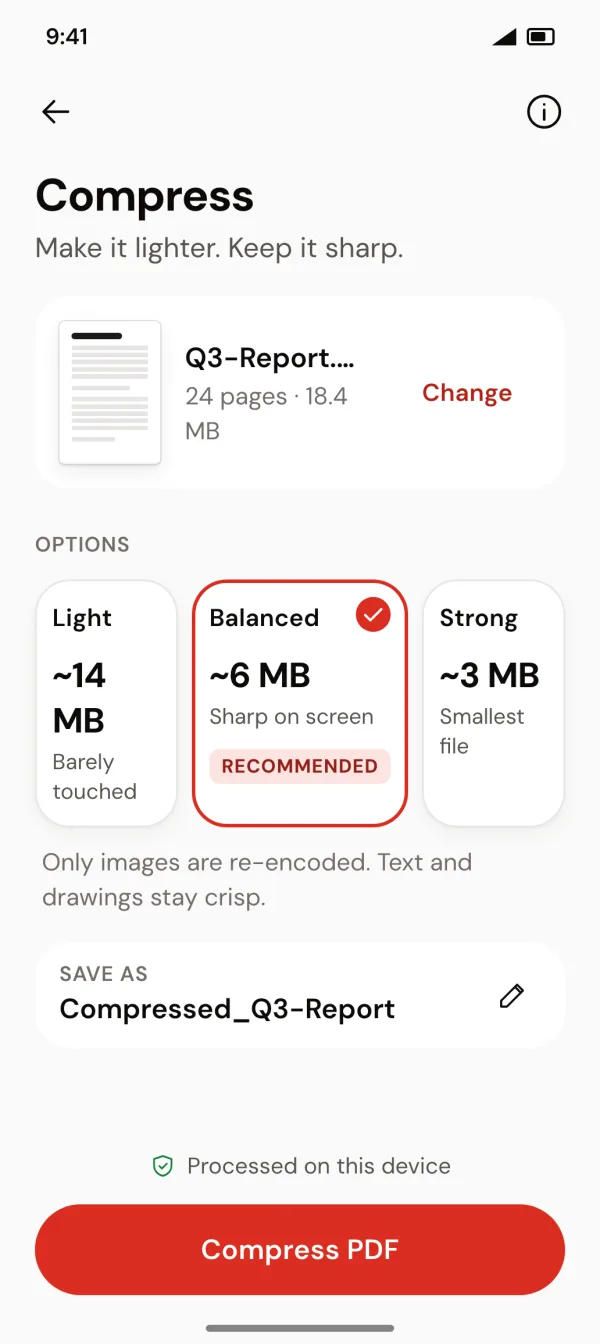
- Compress Three levels, with a size estimate before you start
- Remove metadata Clear the author, title and other hidden details
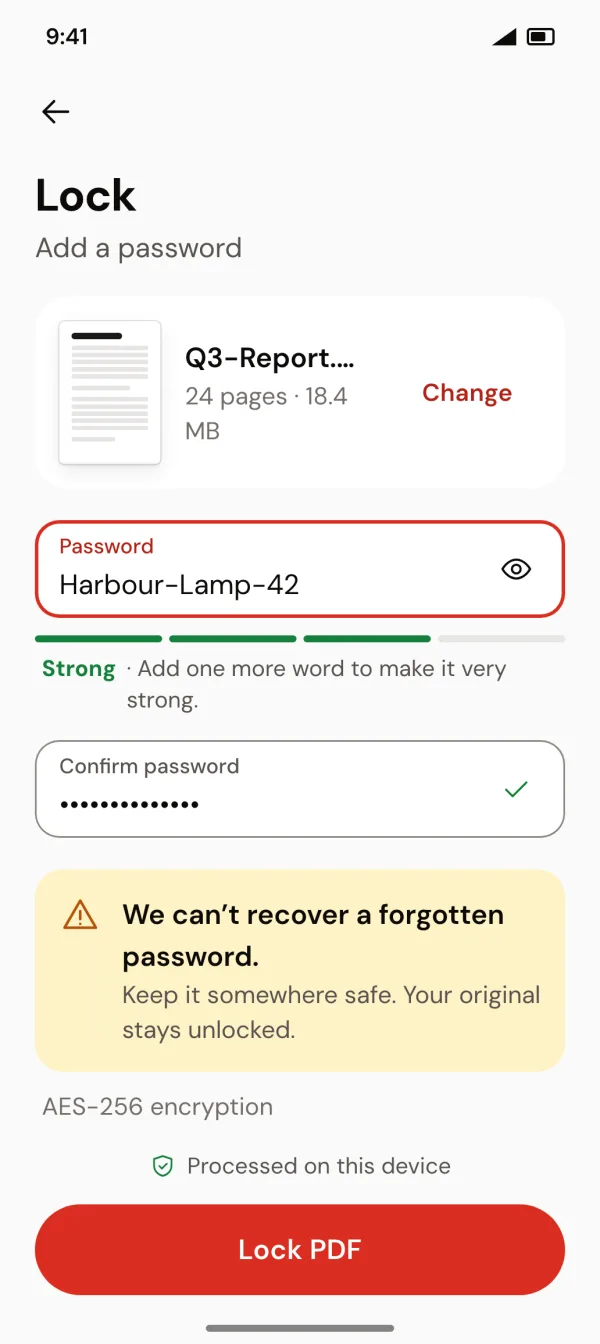
- Lock Password protect a PDF with AES-256
- Unlock Remove a password you know
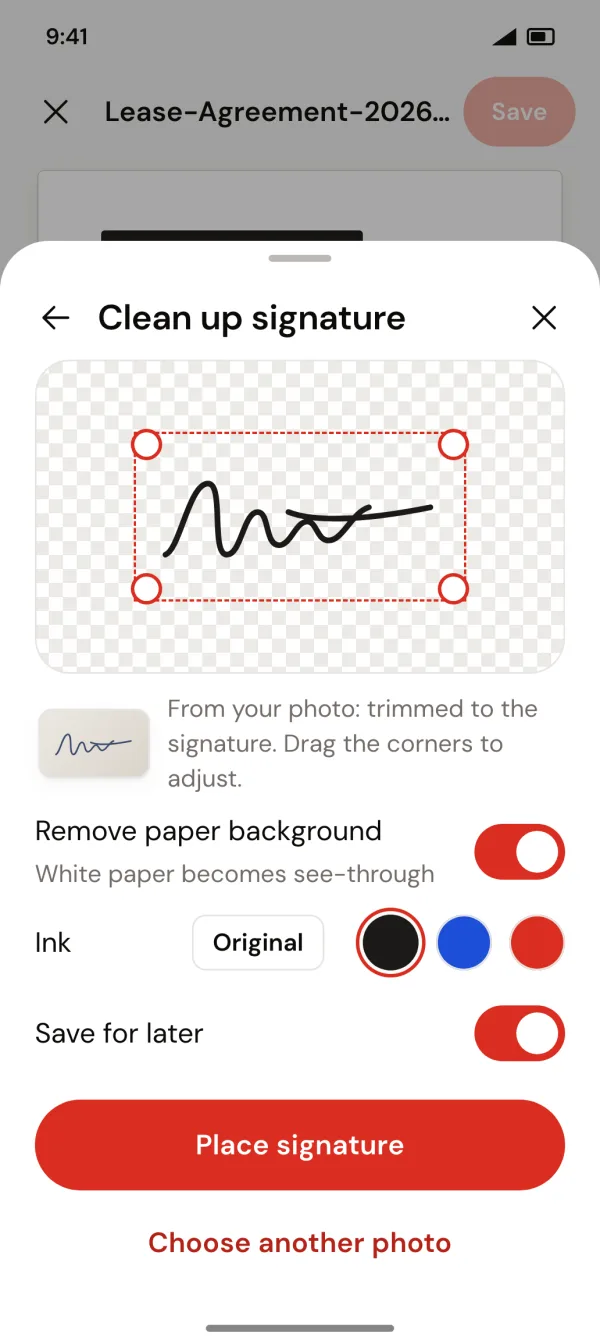
- Sign Sign, initial, date and add text
- Watermark Stamp text across pages
- Scan Camera to a clean PDF
- Images to PDF Photos into one PDF, with page size and margins
- Text to PDF Type it, save it as a PDF
- Blank PDF Empty pages in A4, Letter, Legal or A5
Sign with your real signature
Draw it, or use a photo of the one you already have: the paper is removed and the crop fits the ink. Saved on your phone for next time.
Shrink big PDFs to send
Pick a level and see the new size before you start. Text and drawings stay crisp.
A fast PDF viewer
Page thumbnails, jump to any page, and share or open with other apps. Dark mode included.
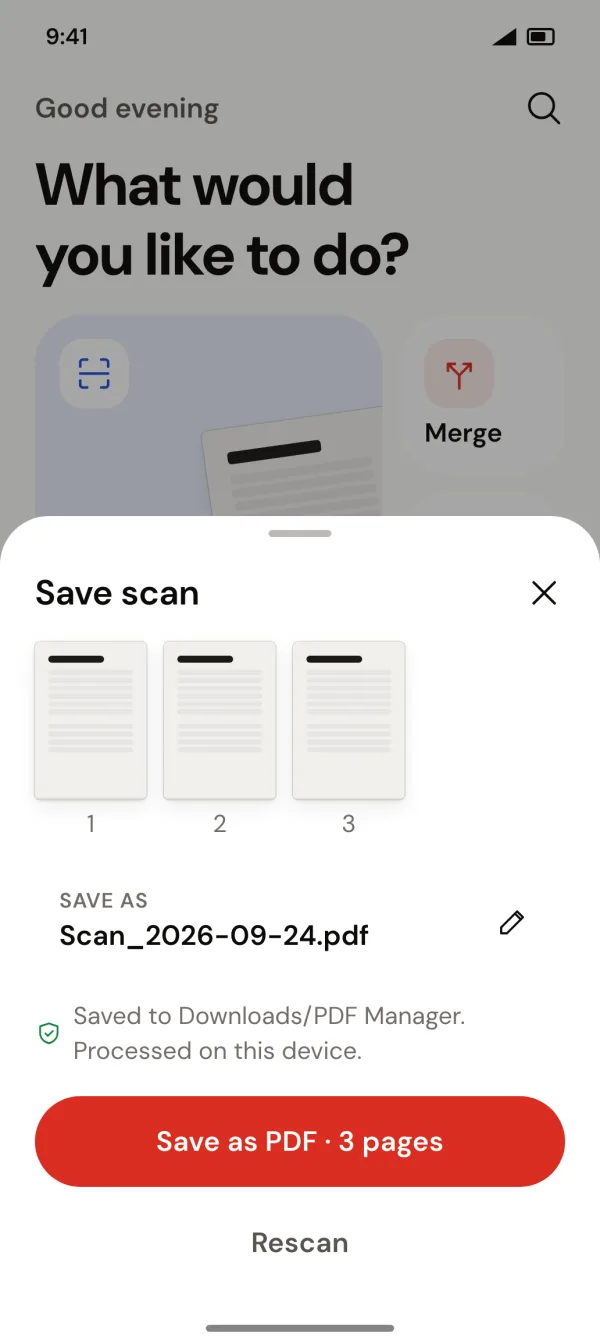
Your files stay on your phone.
Shipping labels carry your customers' names and addresses. Label Crop Tool & PDF Manager never uploads them anywhere.
- Processed on your phoneEvery tool runs on the device. Files are never uploaded.
- Works offlineNo internet needed to crop, merge, sign or compress.
- No account or sign-upInstall it and start.
- Originals never changedEvery tool saves a new copy in Downloads/PDF Manager.
Questions sellers ask
Which marketplaces does label crop work with?
Meesho, Flipkart and Amazon. Download the shipping label PDF from your seller panel and open it in Label Crop Tool & PDF Manager; it recognises the marketplace and crops each label the way that platform lays it out. Myntra and Snapdeal are on the way.
What printer and label size do I need?
Any thermal label printer that takes 4x6 inch (100 × 150 mm) labels. No label printer? Choose A4 sheet: the labels are packed onto A4 at real size with cut guides, so you can print on a normal printer and cut them out.
Will the barcodes still scan?
Yes. Labels are cropped straight from the original PDF, never redrawn or turned into a photo, so barcodes and QR codes stay as sharp as the courier made them.
Can I crop a whole day's orders at once?
Yes. Open the full label PDF and every label is cropped in one go, one label per page. Invoice pages and pages without a label are left out, and the app tells you which.
Are my label PDFs uploaded anywhere?
No. Everything is processed on your phone and works offline. Your files are never uploaded, and there's no account to create.
Is Label Crop Tool & PDF Manager free?
Yes, every tool is free to use. The app shows ads.
Is it available on iPhone?
Label Crop Tool & PDF Manager is available for Android on Google Play.
I'm not a seller. Is it still useful?
Yes. Turn off "I'm a seller" in Settings and Home shows the everyday PDF tools: merge, split, compress, sign, lock, scan, images to PDF and more.
Your next batch of labels, ready in seconds.
Free on Google Play. No account, works offline.
