Every paper, kept and found.
Scan a bill, an ID or a lease and PaperKeep names it, files it, and reads every word on the page. Months later, type a word you remember and it's there.
- No sign-up
- Stays on your phone
- Free to use
From paper to found, in under a minute.
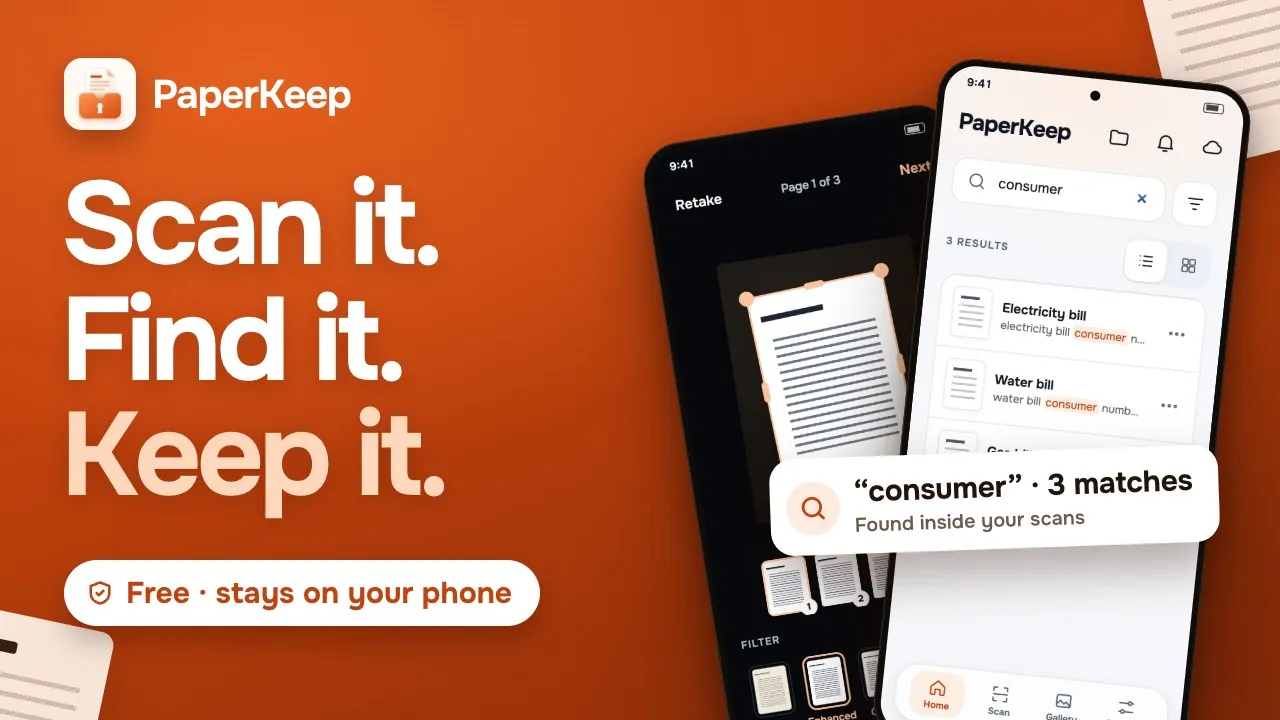
Scan, save with a name read from the page, then find it again by a word printed on it.
Plays from YouTube. Watch on YouTube
Scan it. It's named. Find it.
No forms to fill, no folders to make first. PaperKeep does the filing while you put the paper away.
Point and capture
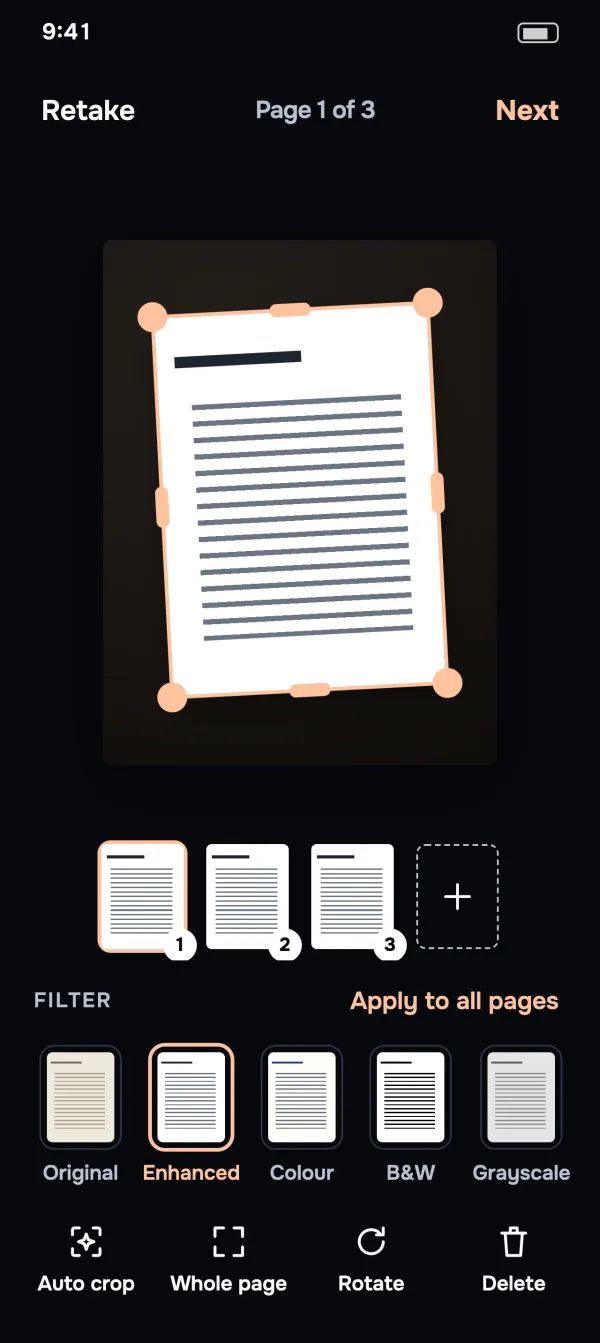
Your phone's document scanner finds the edges, straightens the page and cleans up shadows.
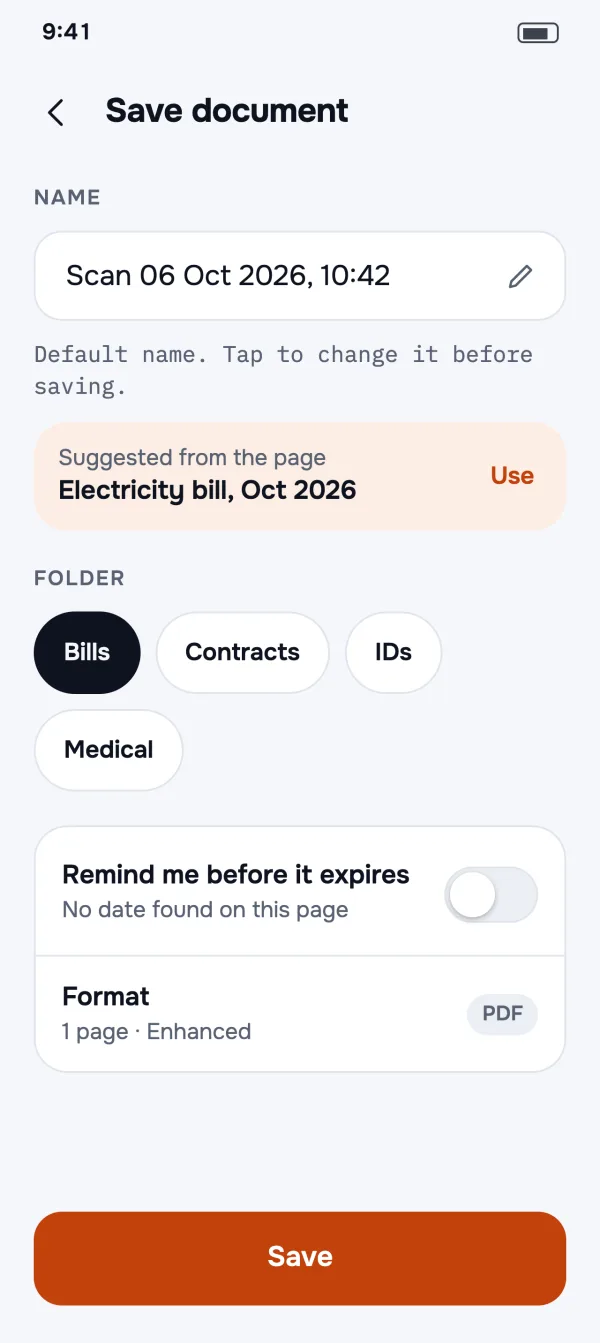
Named and filed for you
PaperKeep reads the page and suggests a name like “Electricity bill, Oct 2026”, and picks the right folder.
Search any word
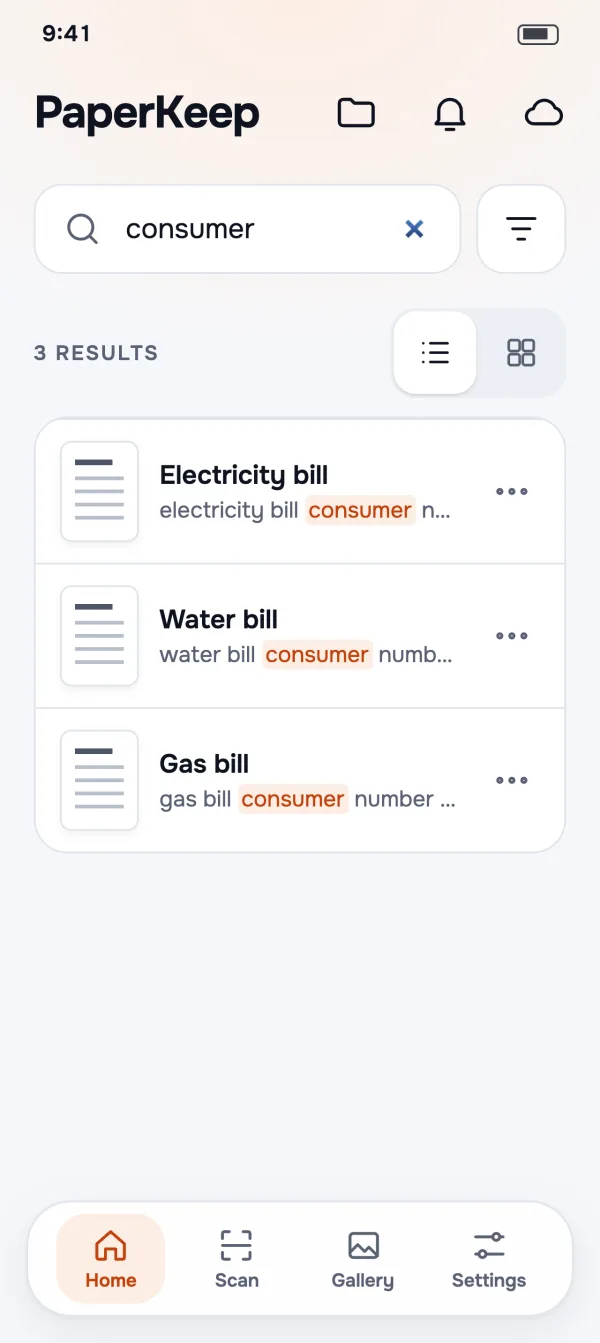
A name, an account number, a policy number. Type it on Home and the matching words light up.
Find any page by a word on it.
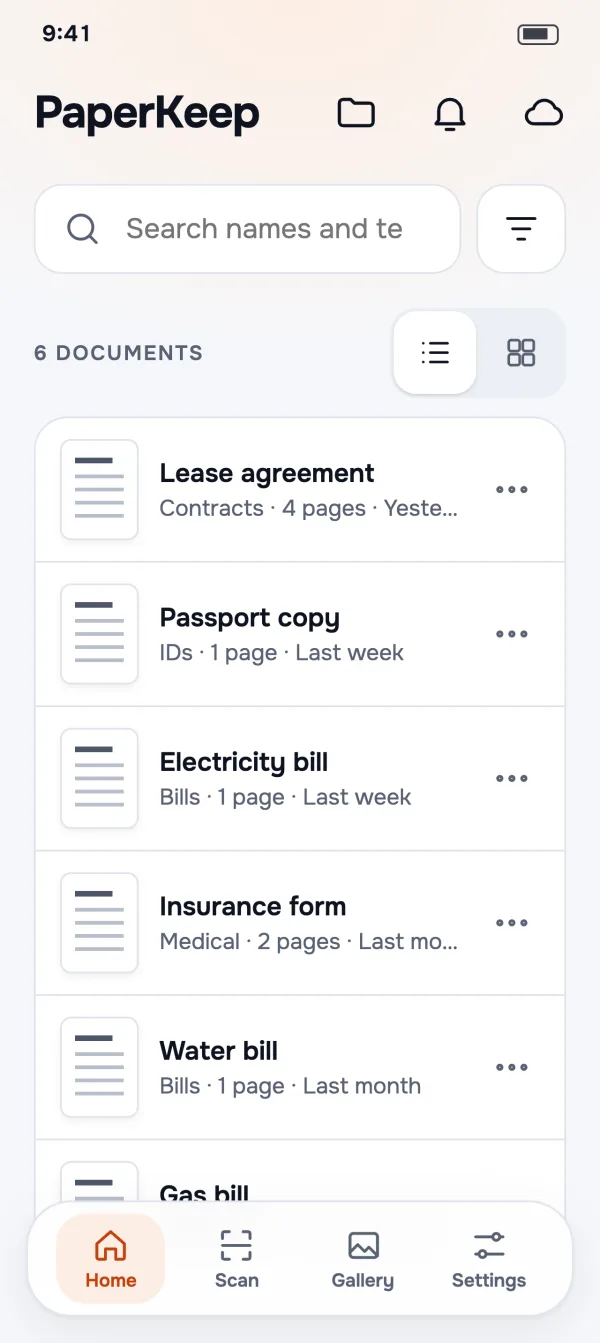
Every page is read as you save it, so the search field on Home looks through names and the text printed on every page at once.
- Matches highlightedSee the words that matched, right in the list.
- Reads English, German, Hindi and MarathiAutomatically, with nothing to set up.
- Read on your phoneText recognition runs on the device. No page goes to a server.
Named and filed before you blink.
Stop scrolling through “Scan 0047”. PaperKeep suggests a name from what's printed on the page, and when the page reads like a bill or an ID, Save picks the folder you already made for it.
- One tap to use the nameOr keep the date and time, or type your own.
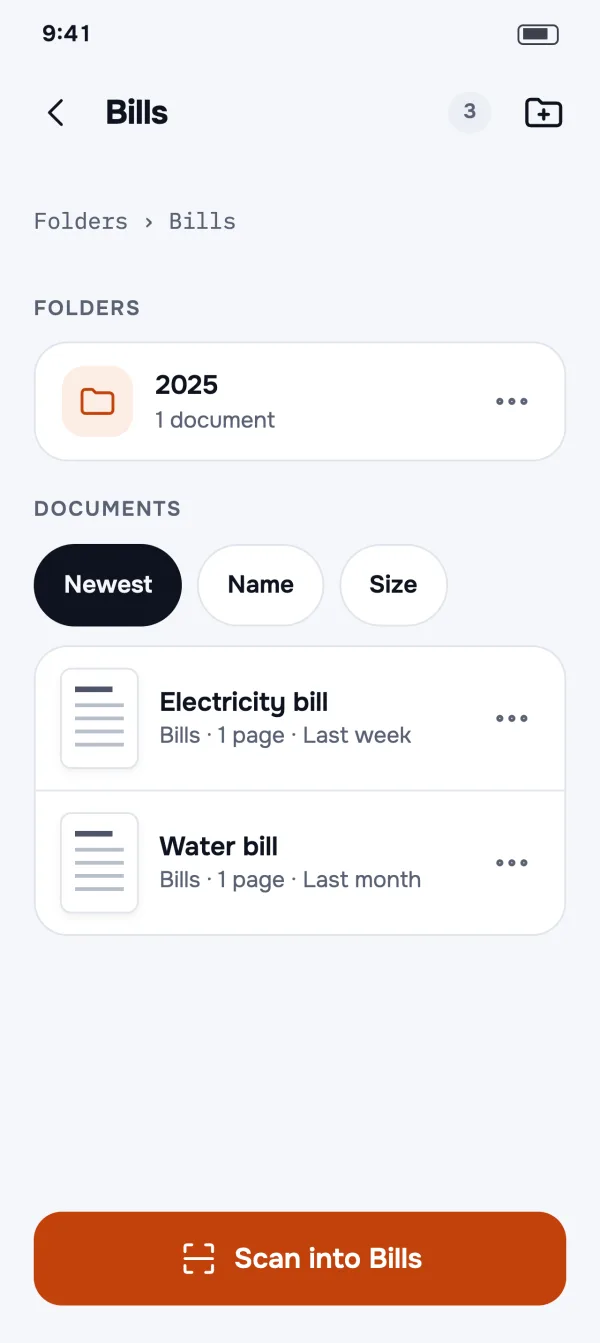
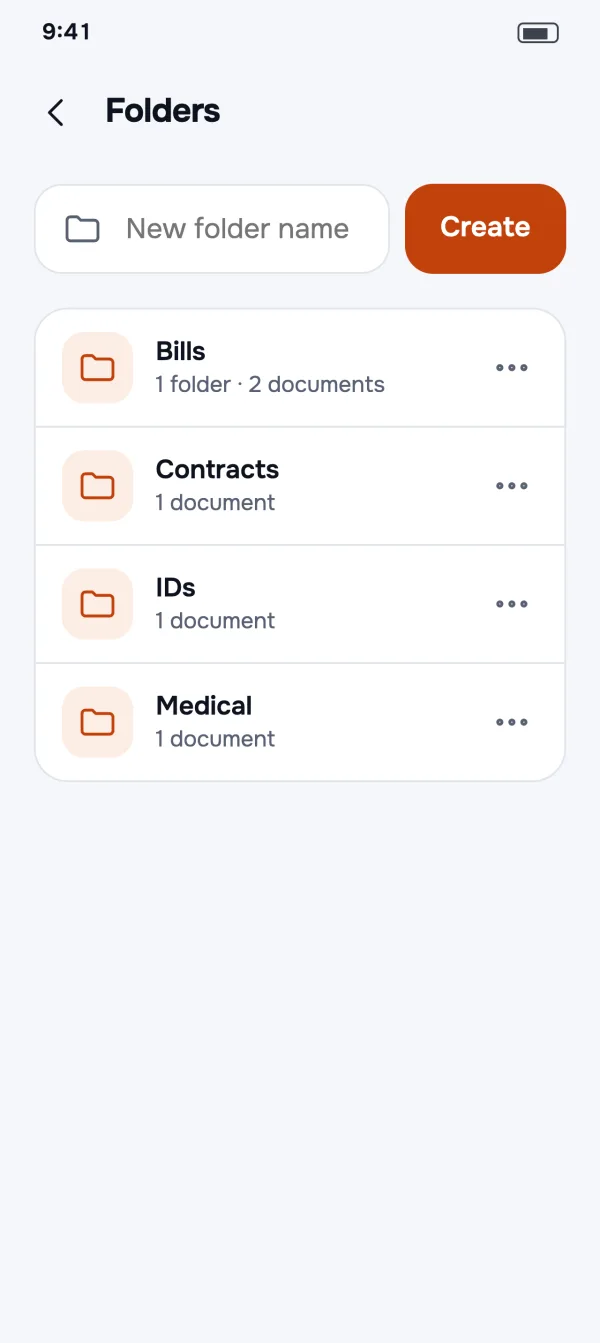
- Folders inside foldersBills › 2025, IDs, Medical: organise it your way.
- Never makes folders behind your backIt only suggests folders you created.
Straight edges, clean pages.
Google's document scanner captures the page, crops it and removes shadows. Photos you already took get the same treatment: drag the corners, pick a filter and apply it to every page.
- Auto crop with a magnifierFine-tune a corner without your finger hiding the edge.
- Five filtersOriginal, Enhanced, Colour, B&W and Greyscale.
- Import from GalleryUses Android's photo picker, so there's no storage permission to grant.
A clean PDF, in one tap.
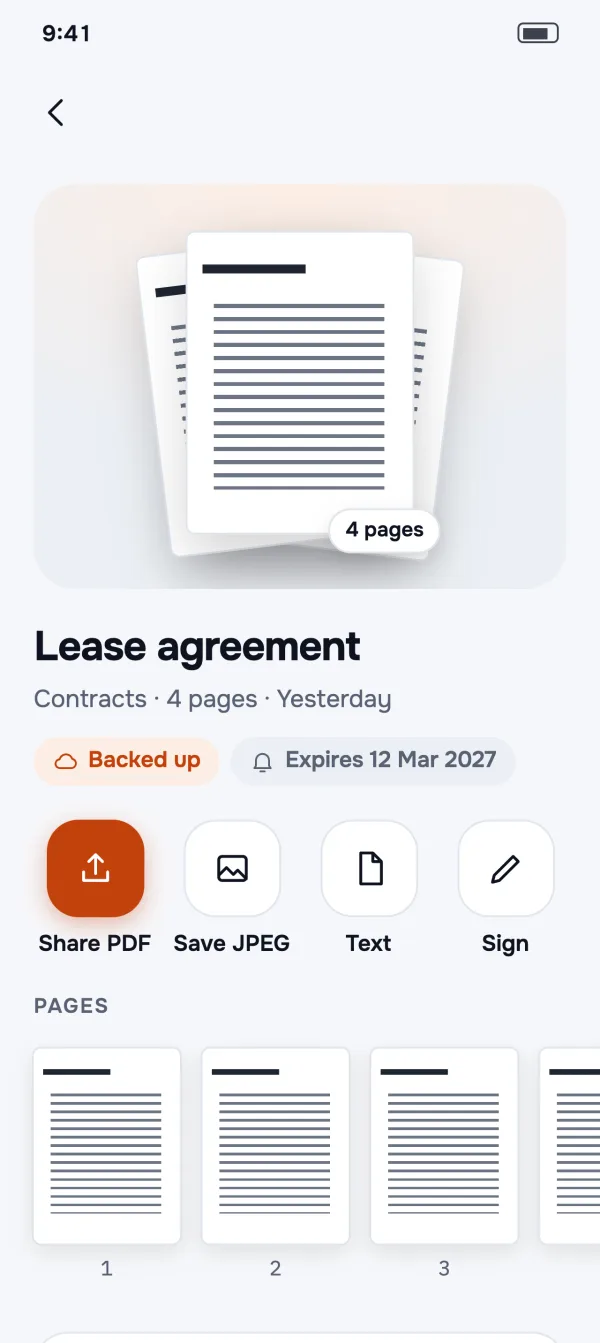
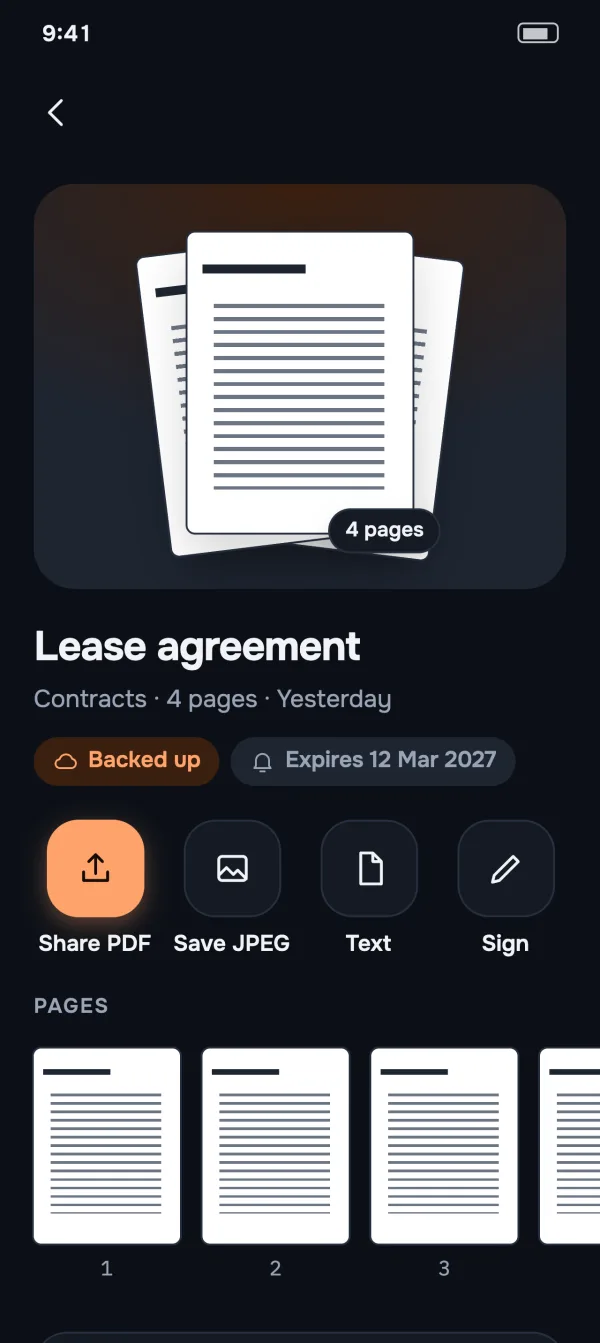
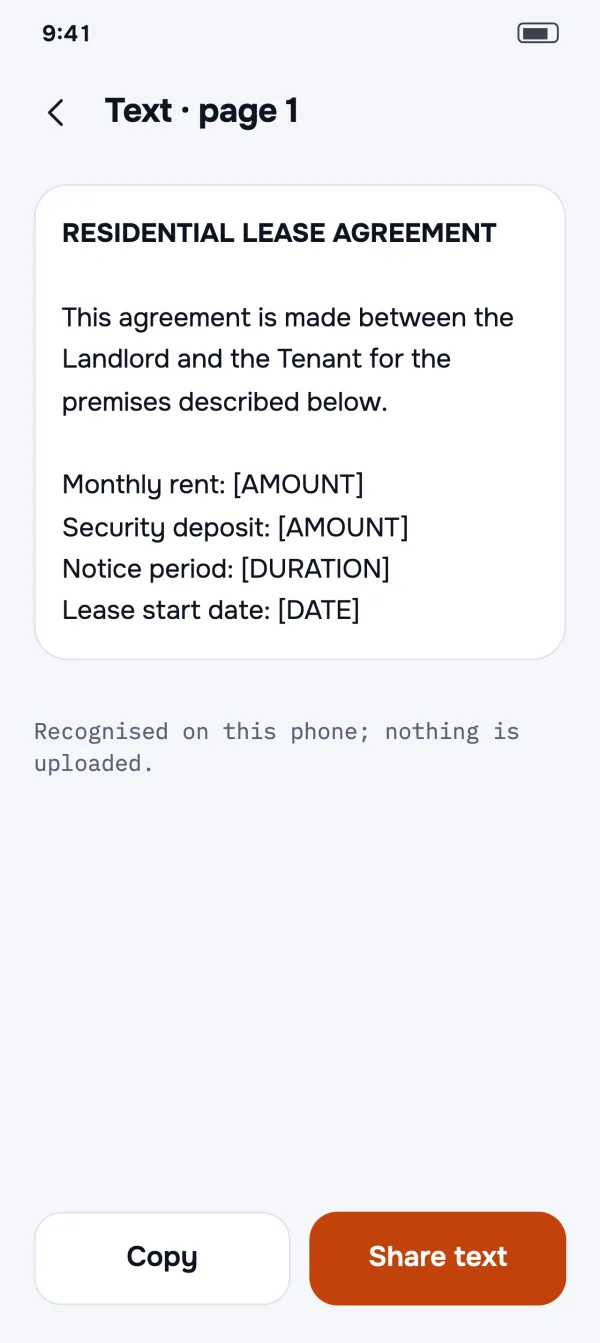
Share a PDF, save pages as JPEG, print or email, straight from the document. Or open Text to copy what's written on the page.
- Searchable PDFsThe recognised text travels inside the PDF, so it's searchable in other apps too.
- Merge documentsSelect a few and make one PDF, keeping the originals if you like.
- No watermarksNot on the free version, not ever.
Everything you need to go paperless.
Unlimited scans
Multi-page documents, as many as your phone can hold.
Folders & subfolders
Move documents and folders anywhere; nothing is lost when you delete a folder.
Merge
Turn several documents into one PDF, in the order you choose.
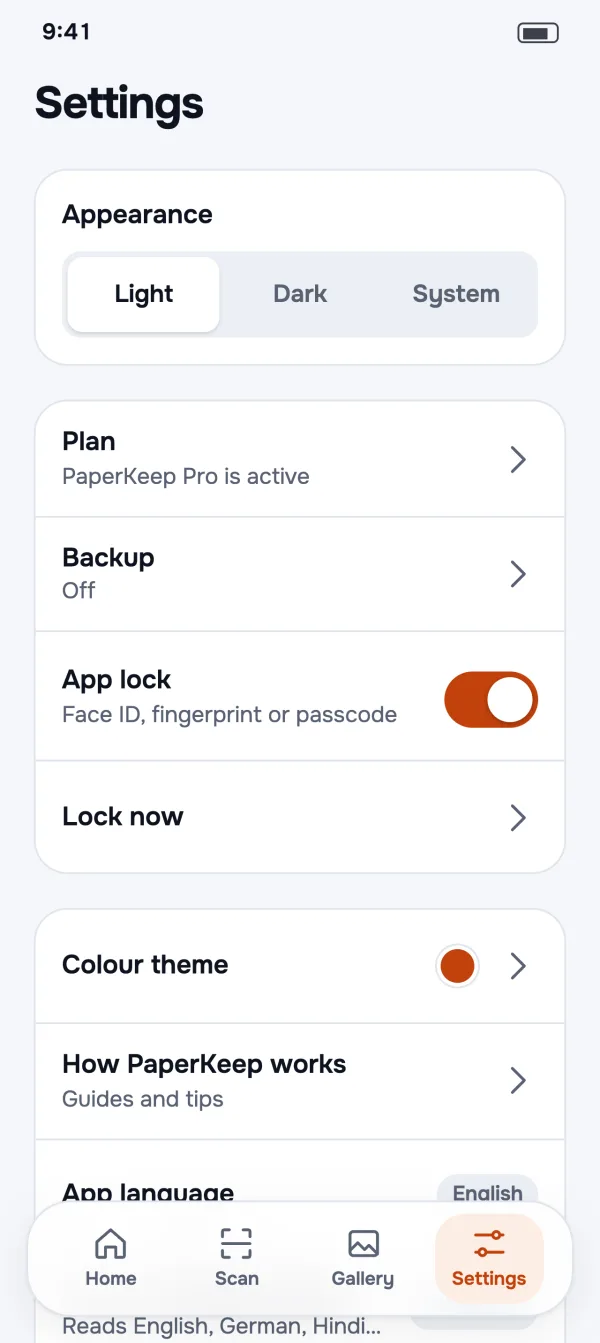
App lock
Open PaperKeep with your fingerprint, face or phone PIN.
Copy the text
Every page's words, ready to copy or share as text.
Print, email, save
Print, attach to an email, or save to Gallery or Downloads.
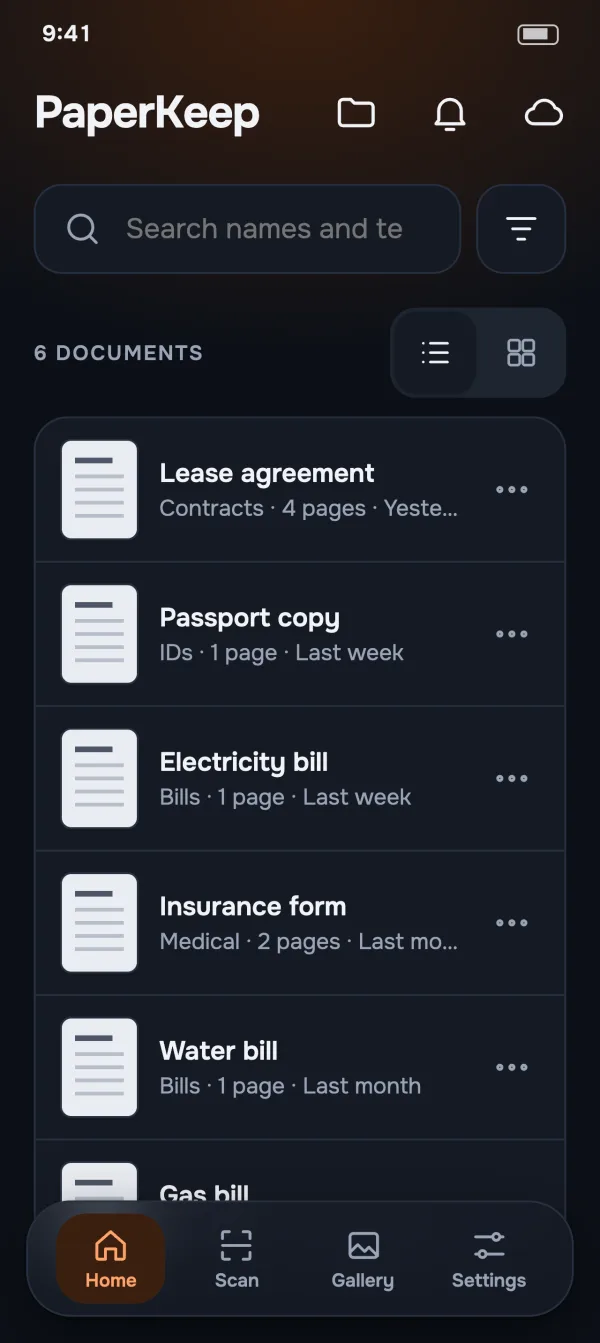
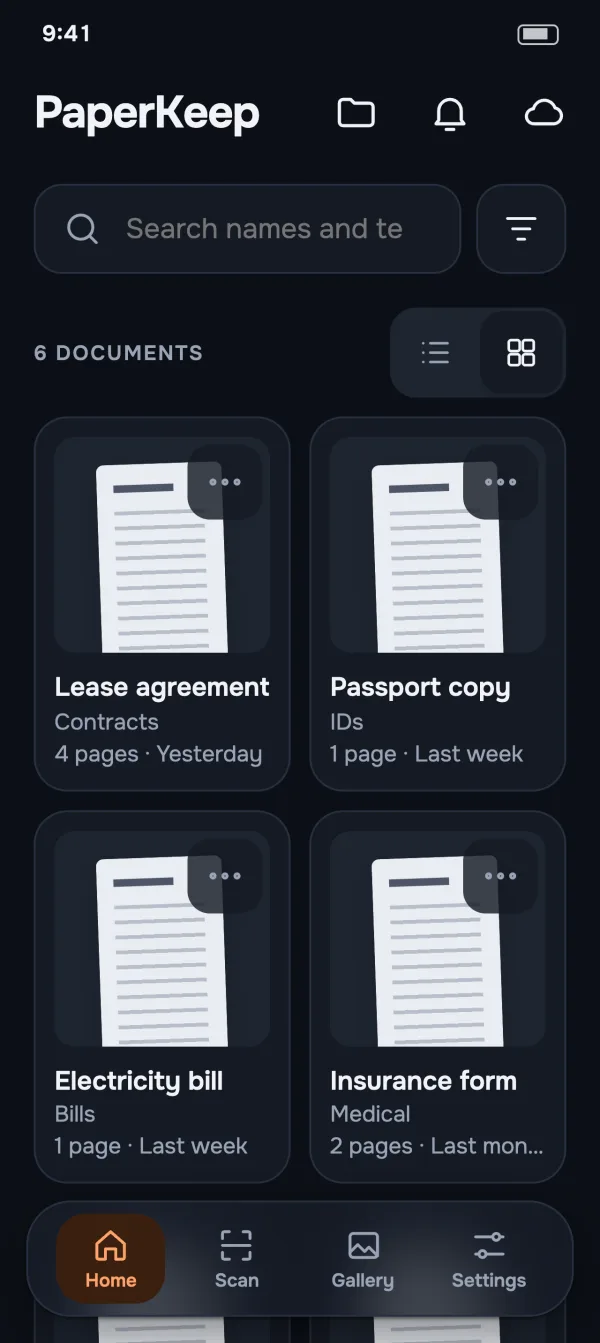
Light & dark
Follows your phone, or pick one.
No account
Install it and start scanning. Nothing to sign up for.
Your papers stay on your phone.
IDs, bills and medical records deserve better than someone else's server. PaperKeep keeps them with you.
Read the privacy policy- Read on your phoneText is recognised on the device. Your documents never go to our servers.
- No sign-upThe app opens straight to your documents. No email, no password.
- Backup goes to your own DriveGoogle sign-in only appears if you turn on Drive backup, and only you can see the files.
- Locked when you wantApp lock uses your phone's own fingerprint, face or PIN.
Peace of mind, built in.
Everything above stays free. Pro is for when your papers matter enough to back up and keep an eye on.
- Google Drive backup & restoreAutomatic, Wi-Fi only if you like. Restores on a new phone.
- Expiry remindersA nudge 30 days and 7 days before a passport, policy or lease runs out.
- Sign documentsDraw your signature once, place it on any page.
- 11 colour themesMake the app yours, in light and dark.
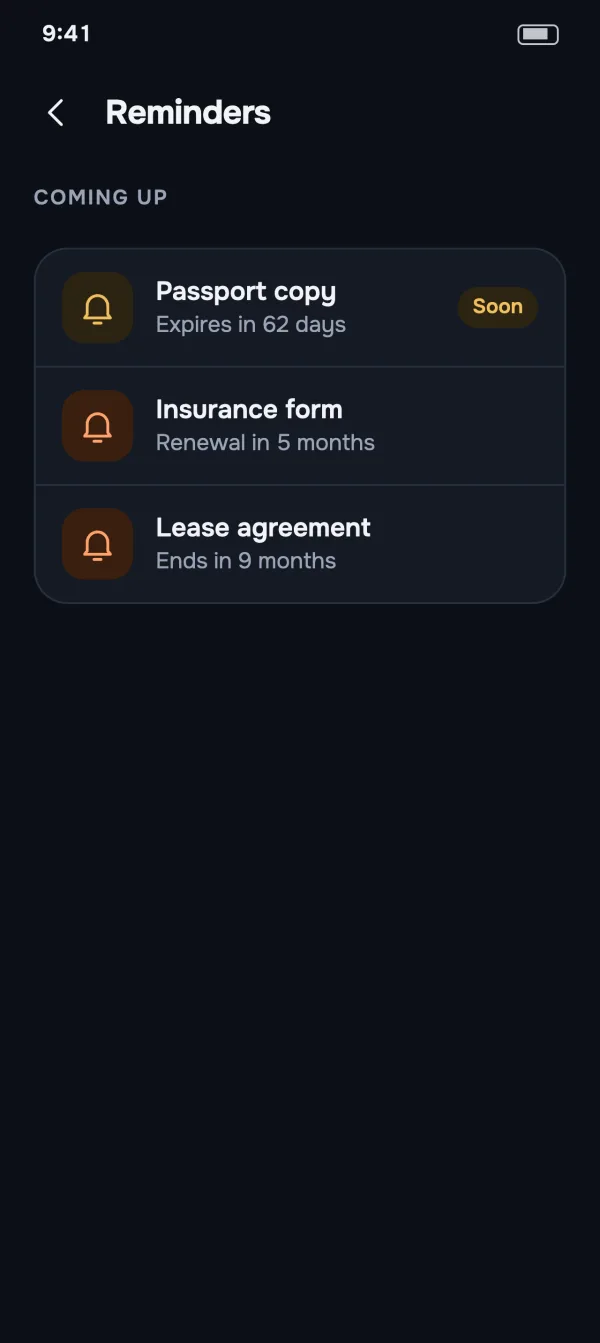
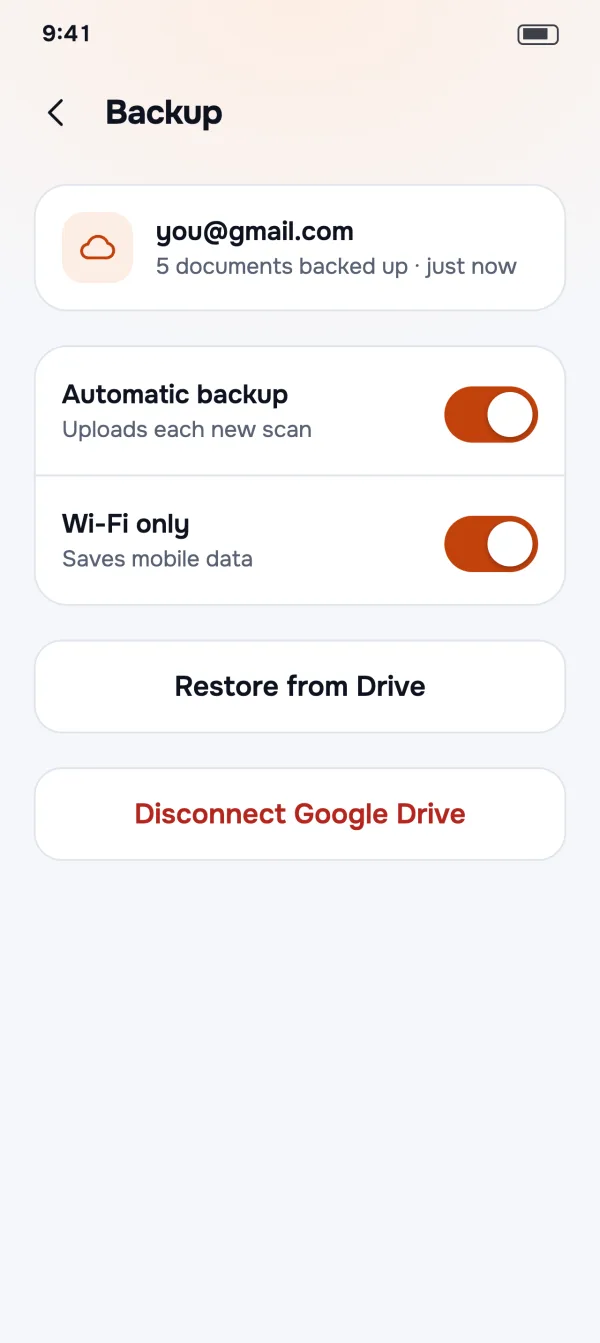
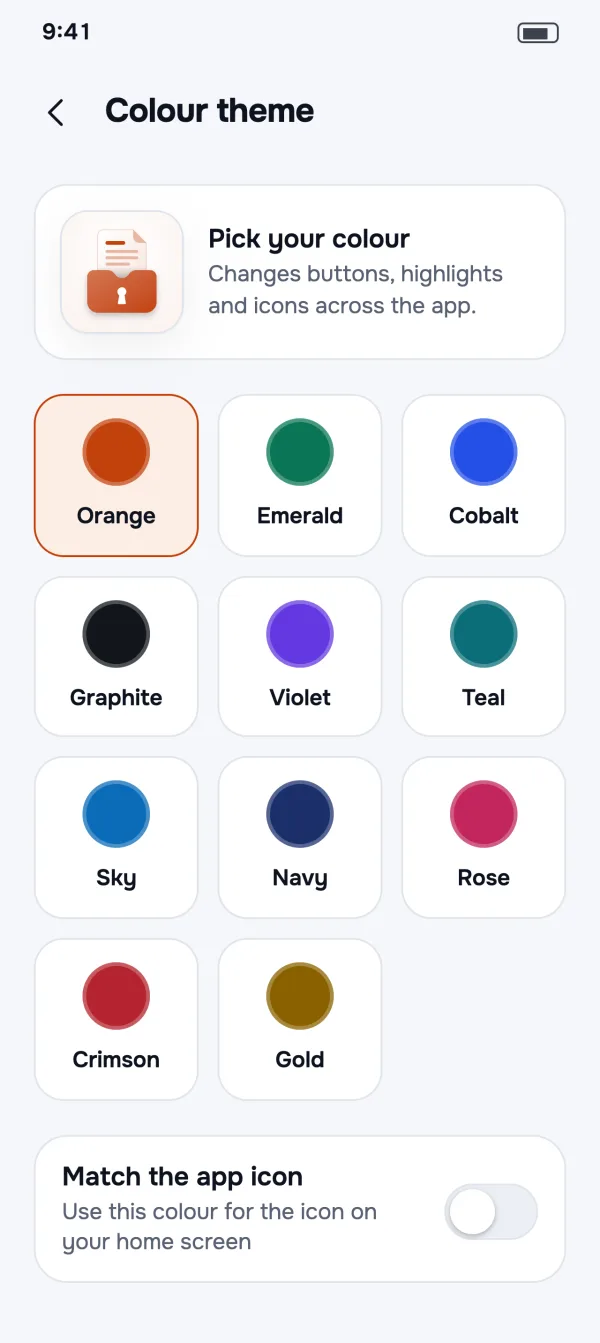
Calm, clear, and easy on the eyes at night.
Good questions
Is PaperKeep free?
Yes. Scanning, PDF and JPEG export, folders and subfolders, merge, search inside documents, smart names, auto-filing and app lock are all free. The free version may show ads. PaperKeep Pro adds Google Drive backup, expiry reminders, signing and colour themes, and removes ads.
Do I need to create an account?
No. Open the app and start scanning. Google sign-in only appears if you turn on Google Drive backup with Pro.
Are my documents uploaded anywhere?
No. Pages are scanned, read and stored on your phone, and never sent to our servers. They only leave your phone when you share them, or when you turn on backup to your own Google Drive. The privacy policy has the details.
How does search inside documents work?
When you save a document, PaperKeep reads the text on every page, right on your phone. Type any word into the search field on Home, like a name, an account number or a policy number, and every document with that word shows up, with the matching words highlighted.
Which languages can it read?
English, German, Hindi and Marathi, automatically. There's nothing to choose: each page is read in both scripts and the better reading is kept.
What happens when I change phones?
With Pro, turn on Google Drive backup. On your new phone, install PaperKeep, connect the same Google account and tap Restore from Drive. Your documents and folders come back as they were.
How much is Pro?
Pro comes as a monthly or yearly plan, each with a 7-day free trial, or a one-time lifetime purchase. Google Play shows the price in your currency before you pay.
Is PaperKeep on iPhone?
PaperKeep is available for Android on Google Play. An iPhone version will follow.
Put your papers somewhere you'll find them.
Free on Google Play. No sign-up, and your documents stay on your phone.
